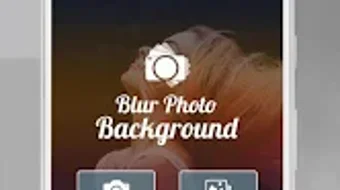

Download Auto Blur Background Effect – photo editing, background blur, auto blur, blur effect, Android app, free photo tool, quick editing, mobile editing, photo enhancement
Overview
Auto Blur Background Effect is a lightweight Android application designed to simplify photo editing by offering an intuitive way to blur unwanted background areas. The software is ideal for users who want to enhance their photos with a professional look without requiring prior photography or editing experience. It enables users to either select images from their device gallery or capture new photos directly through the app’s integrated camera feature.
Once a photo is loaded, users can apply a blur effect to specific areas or use the auto mode for automatic background detection and blurring. This functionality is particularly useful for portraits, social media content, or any image where background distraction needs to be minimized. The app is positioned as a fast and user-friendly tool for individuals seeking instant visual improvements.
It supports direct sharing to popular platforms such as Facebook and Instagram, streamlining the content creation workflow. The developer, Krish App, has positioned this tool as a free solution for casual users and content creators who value speed and simplicity. While no additional details about the developer’s background were provided, the app’s focus on accessibility and ease of use suggests a target audience of non-professional users, students, and social media enthusiasts.
Key Features & Capabilities
- Auto Background Blur Mode – Automatically detects and blurs background areas, reducing manual effort and enabling quick results.
- Manual Selection Tool – Allows users to manually select specific regions of a photo to blur, providing precise control over the editing process.
- Camera Integration – Enables users to take new photos directly within the app and apply blur effects immediately after capture.
- Adjustable Blur Intensity – Offers a slider or control to customize the strength of the blur effect, allowing for fine-tuned visual outcomes.
- Direct Social Media Sharing – Supports instant sharing of edited photos to platforms like Facebook and Instagram without requiring additional steps.
- Gallery Access – Provides seamless access to the device’s photo library for selecting and editing existing images.
These features are tailored to support quick and effective photo enhancement. For example, a user preparing a profile picture for social media can use the auto mode to blur the background and instantly share it. Similarly, someone capturing a candid moment can apply the blur effect on the spot, ensuring the final image looks polished.
The ability to adjust blur levels adds versatility, allowing users to balance aesthetic appeal with clarity. The integration of camera and gallery access ensures a smooth workflow from capture to sharing. Although specific technical details about the algorithm or processing speed were not disclosed, the app is described as fast and lightweight, suggesting optimized performance for mobile devices.
The tool is particularly suited for users who prioritize convenience and visual impact over advanced editing capabilities.
User Interface, Workflow & Performance
The user interface of Auto Blur Background Effect is designed with simplicity in mind, featuring a clean layout that prioritizes core functions. Navigation is straightforward, with clearly labeled buttons for accessing the camera, gallery, blur tools, and sharing options. The workflow begins with image selection or capture, followed by the application of blur—either automatically or manually.
The interface supports touch-based interaction, making it accessible to users of all experience levels. While no specific information was provided about CPU or RAM usage, the app is described as lightweight and fast, indicating efficient resource management. The developer did not specify performance benchmarks or behavior under heavy load.
Stability during extended use or in low-memory environments was not mentioned. However, the app’s lightweight nature suggests it is unlikely to cause significant performance issues on modern Android devices. Users can expect minimal lag during basic operations such as image loading, selection, and blur application.
The app’s responsiveness is likely optimized for touch input, ensuring a smooth experience during editing. Overall, the workflow is efficient and well-suited for on-the-go editing. The absence of complex menus or settings keeps the experience focused and accessible.
Compatibility & System Requirements
Auto Blur Background Effect is designed for Android devices and is compatible with the Android operating system. The app’s version is listed as 1.0, indicating it is in its initial release phase. The installation size is 12 MB, which is relatively small and suitable for devices with limited storage space.
The developer did not provide additional system requirements, such as minimum Android version, RAM, or processor specifications. As a result, exact compatibility details are limited. It is recommended to ensure the device runs a recent version of Android to support the app’s functionality.
The developer did not specify whether the app supports tablets or other Android-based devices. Performance observations are based on general software behavior patterns. Users should verify compatibility with their specific device model and Android version before installation.
The app is free to download and use, making it accessible to a broad audience. While no information was provided about future updates or long-term maintenance, the initial release suggests a focus on core functionality.
Pros and Cons
Pros
- Free to download and use with no hidden costs.
- Lightweight at just 12 MB, suitable for devices with limited storage.
- Simple and intuitive interface ideal for beginners.
- Supports both camera capture and gallery access for flexible workflow.
- Offers both auto and manual blur modes for different editing needs.
- Allows adjustable blur intensity for customized results.
- Direct sharing to major social media platforms.
Cons
- Exact system requirements were not listed, limiting compatibility clarity.
- Performance details, such as CPU or RAM usage, were not specified.
- Only available for Android, with no support for iOS or desktop platforms.
- Version 1.0 suggests limited feature set and potential for future updates.
- No advanced editing tools beyond background blur.
- Developer background and company details were not provided.
FAQ Section
Is Auto Blur Background Effect free to use?
Yes, the app is completely free to download and use. There are no in-app purchases or subscription fees mentioned in the provided information.
Can I use this app on my iPhone or iPad?
No, the app is currently only available for Android devices. There is no information about iOS compatibility or availability on Apple platforms.
Does the app require an internet connection?
The app does not require an internet connection to perform basic editing functions. However, sharing photos to social media platforms may require an active connection.
How do I update the app?
Updates are typically available through the Google Play Store. Users should check for updates in the store app to ensure they have the latest version.
Is my data safe when using this app?
The developer did not provide specific details about data privacy or security practices. Users are advised to review the app’s permissions and privacy policy before installation.
Final Thoughts + CTA
Auto Blur Background Effect delivers a focused and accessible solution for users seeking to enhance their photos with background blur effects. Its simplicity, lightweight design, and free access make it a compelling choice for casual users, social media content creators, and those new to photo editing. The integration of auto and manual blur modes, along with camera and gallery support, ensures a versatile yet straightforward experience.
While the app lacks advanced features and detailed system requirements, its core functionality is well-executed and efficient. It is particularly effective for quick edits and social media optimization. The absence of known performance issues and its small file size further enhance its appeal.
For users looking for a no-frills, fast, and secure way to apply blur effects on Android, this app stands out as a reliable option. Download Auto Blur Background Effect now to elevate your mobile photo editing experience with ease.







